Clean the Squishies Beginner Guide
Learn the official controls, first cleanup route, upgrades, and multiplayer basics for Clean the Squishies on Roblox.
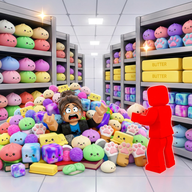
Clean the Squishies begins with a simple problem: the local squishy shop has been turned upside down, and the squishies are everywhere. Your job is to pick them up, place them where they belong, and improve your route until the whole shop feels manageable.
Official Controls
The official Roblox description lists the key controls players should learn first.
Start by practicing pickup, place, and drop until the controls feel automatic. A clean route falls apart quickly if you keep dropping the wrong item or switching before you know where the next squishy belongs.
First Route
Treat the shop like a set of small sections instead of one giant mess.
- Clear one aisle or corner before moving across the room.
- Carry squishies in a consistent direction so you do not repeat the same walk.
- Drop only when you need to reset a bad pickup or avoid blocking your route.
- Save the magic ability for dense spots where one action can save multiple movements.
This approach is slower than sprinting everywhere for the first minute, but it becomes faster because you miss fewer squishies and spend less time backtracking.
Upgrade Mindset
The official description says upgrades and abilities make the job easier. Prioritize upgrades that help your route directly: movement, carrying, pickup flow, and ability timing. Cosmetic or situational choices can wait until the main cleanup loop feels smooth.
Solo and Friends
Clean the Squishies supports cleaning alone or with friends. In multiplayer, divide the shop into sections. If everyone chases the same pile, the server feels crowded and the route gets messy. If each player owns one section, the whole shop clears faster.
Beginner Checklist
- Learn pickup, place, drop, switch, and squish controls.
- Clear one shop section at a time.
- Use the magic ability in crowded areas.
- Spend upgrades on route speed and cleanup consistency.
- In multiplayer, split the shop before the run starts.